Windows
Use WinClaw
WinClaw has knowledge base, browser automation, Office suite, software development and more capabilities to complete all your daily work and earn revenue for you.
Installation issues? Windows 10 limits path length to 260 characters by default, which may cause installation failure. See the troubleshooting guideto enable long path support and reinstall.
Disclaimer: This is free software. We are not responsible for any issues that may occur during use.
Different models have varying levels of risk. For your computer's safety, please use reliable, high-quality models.
AI Takes Over Your Computer, Everything Under Control
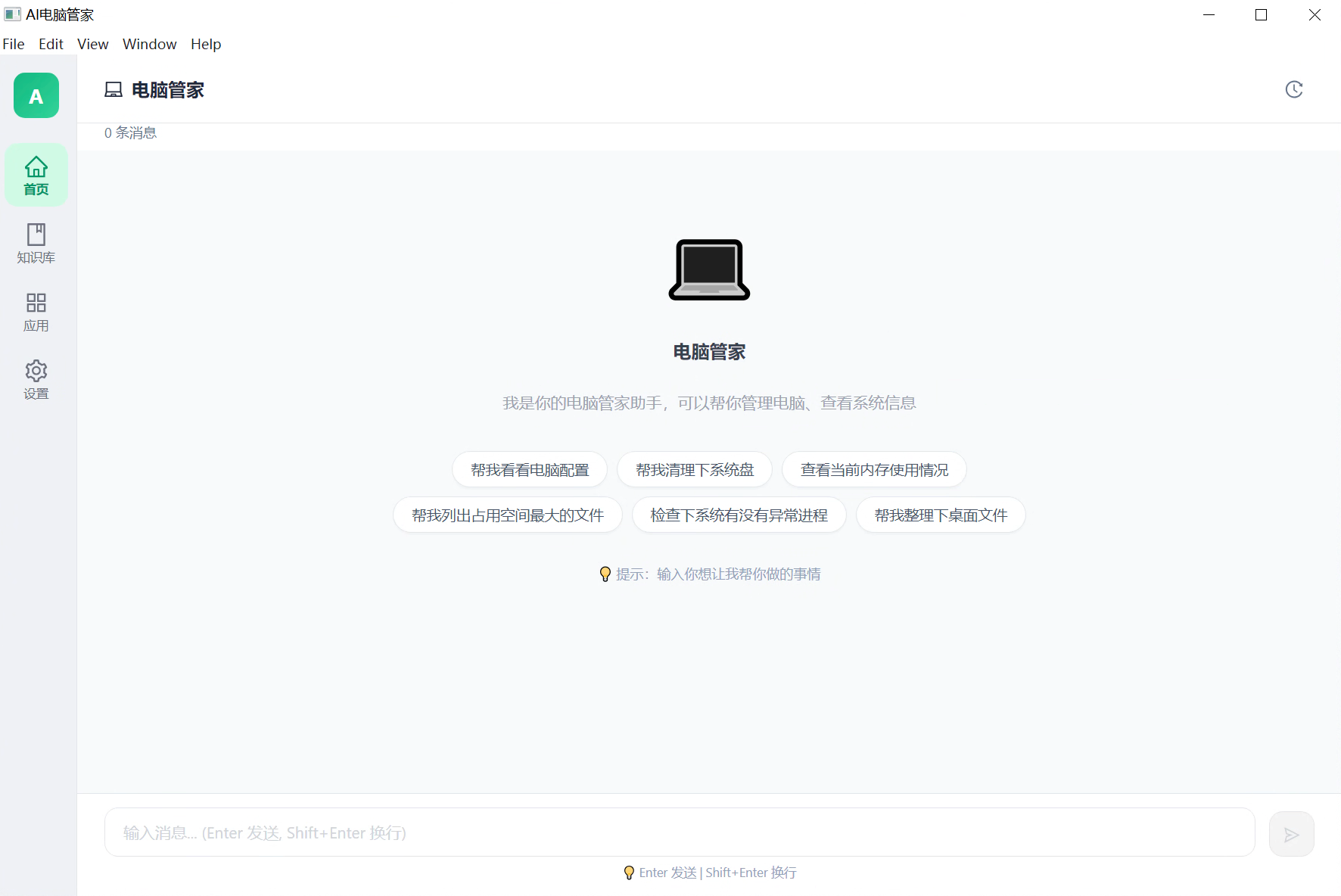
The computer assistant helps you manage every aspect of your computer. View system config, clean disk space, monitor memory usage, check processes, organize files — just say the word, AI handles it all.
- Control your computer with natural language, zero learning curve
- System cleanup, process monitoring, file organization in one click
- Smart preset commands for common tasks
Word, Excel, PPT — AI Gets It Done Smoothly
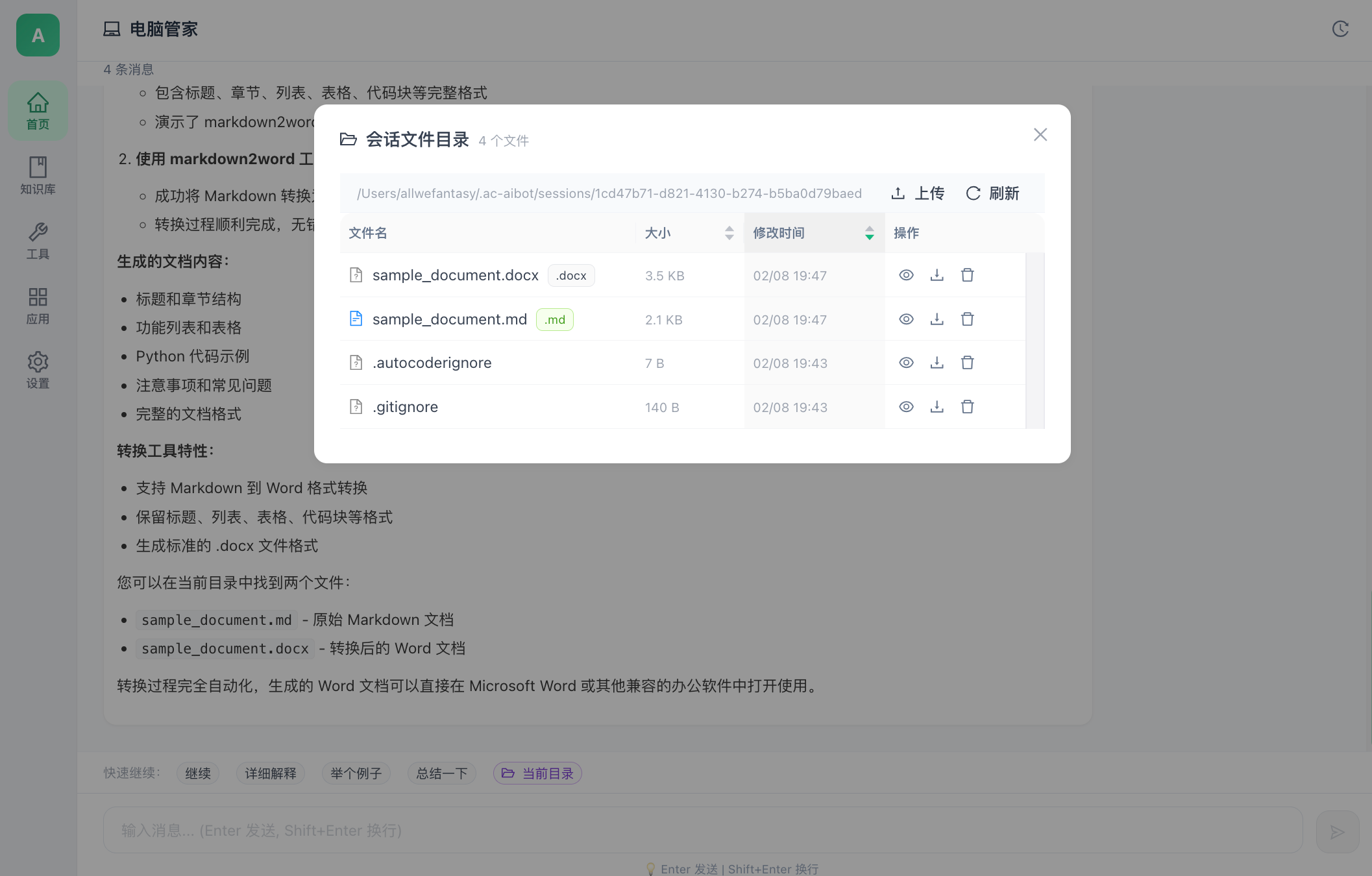
No manual work needed — AI directly handles Office document processing. Markdown to Word, data to Excel, auto-generate PPT — say goodbye to tedious document work.
- One-click Markdown to standard Word document conversion
- Preserve headings, lists, tables, code blocks and more
- Session file management, view and download generated files anytime
AI Browses for You, Automated Information Retrieval
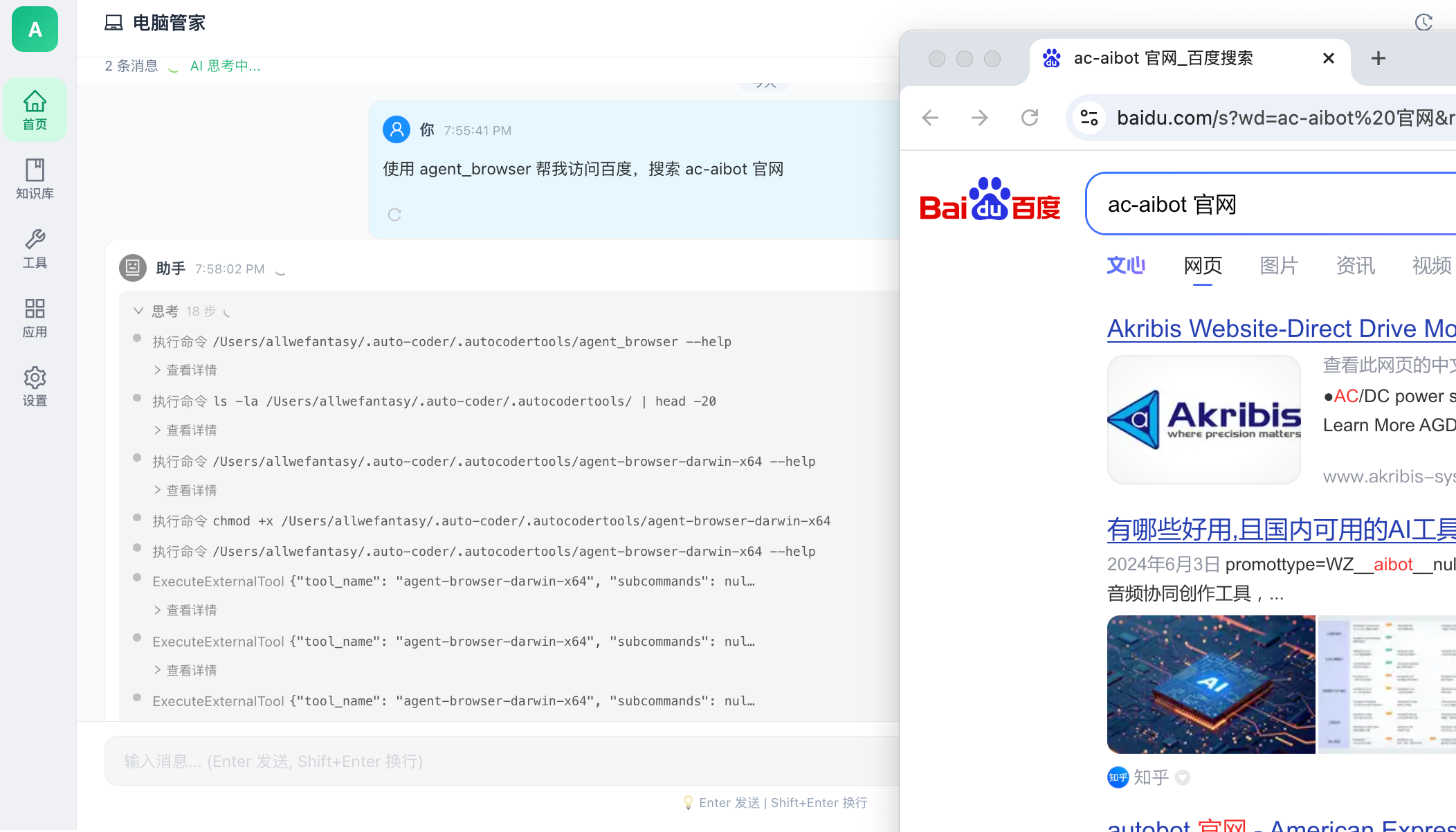
Built-in browser Agent — AI can open browsers, visit web pages, search for information, and scrape content. Whether it's research, news, or form filling, one command does it all.
- Natural language-driven browser automation for any website
- Smart search and content scraping for fast information retrieval
- Multi-step complex operations simulating real user behavior
Your Private Knowledge Base, Precise Answers at Your Fingertips
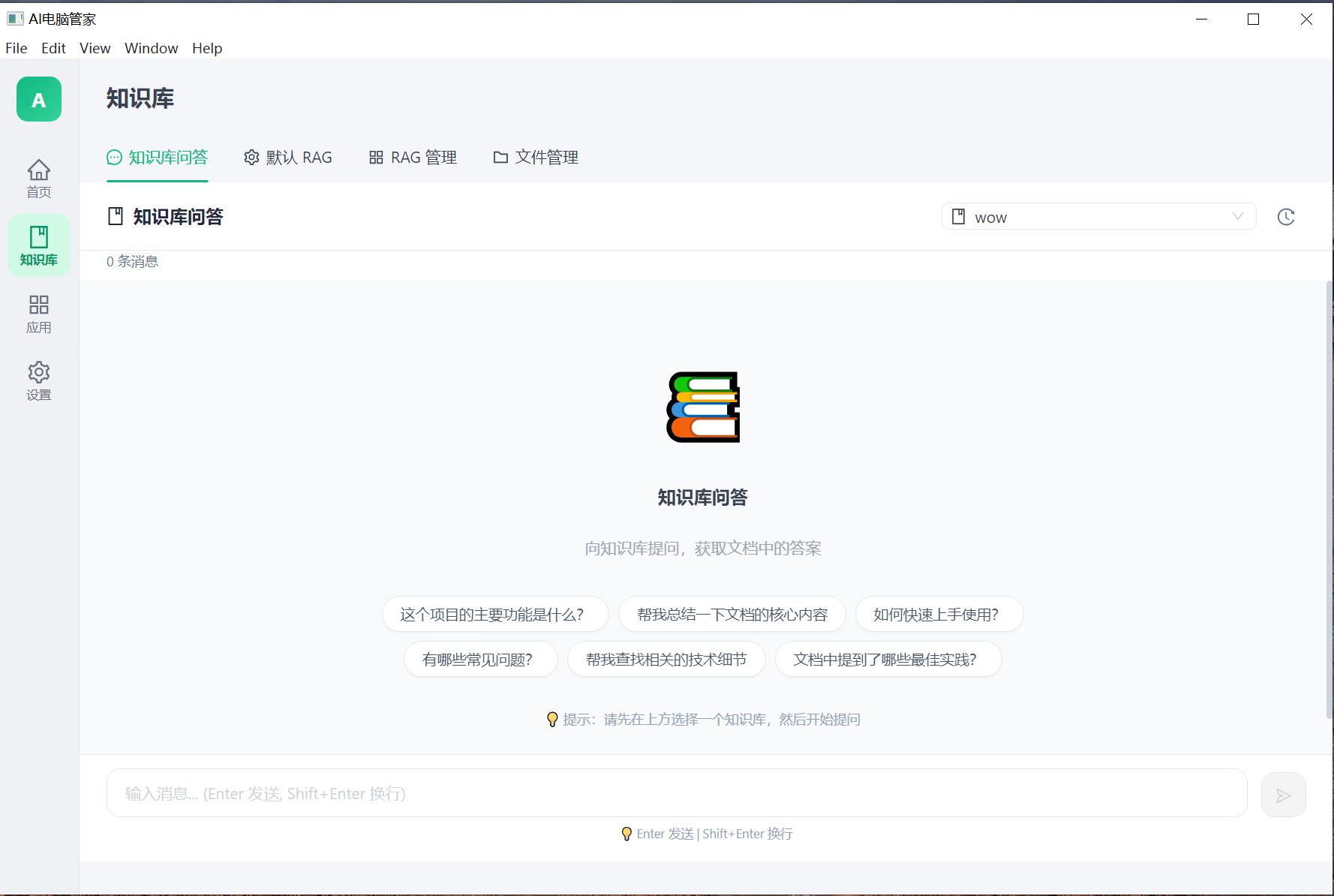
Upload documents to your knowledge base. Through advanced RAG technology, AI retrieves precise answers from your documents. Supports knowledge Q&A, RAG management, and file management.
- Support for multiple document formats upload and management
- Precise retrieval and answers based on RAG technology
- Customizable RAG configuration for different scenarios
Rich Third-Party Apps, Expanding Ecosystem
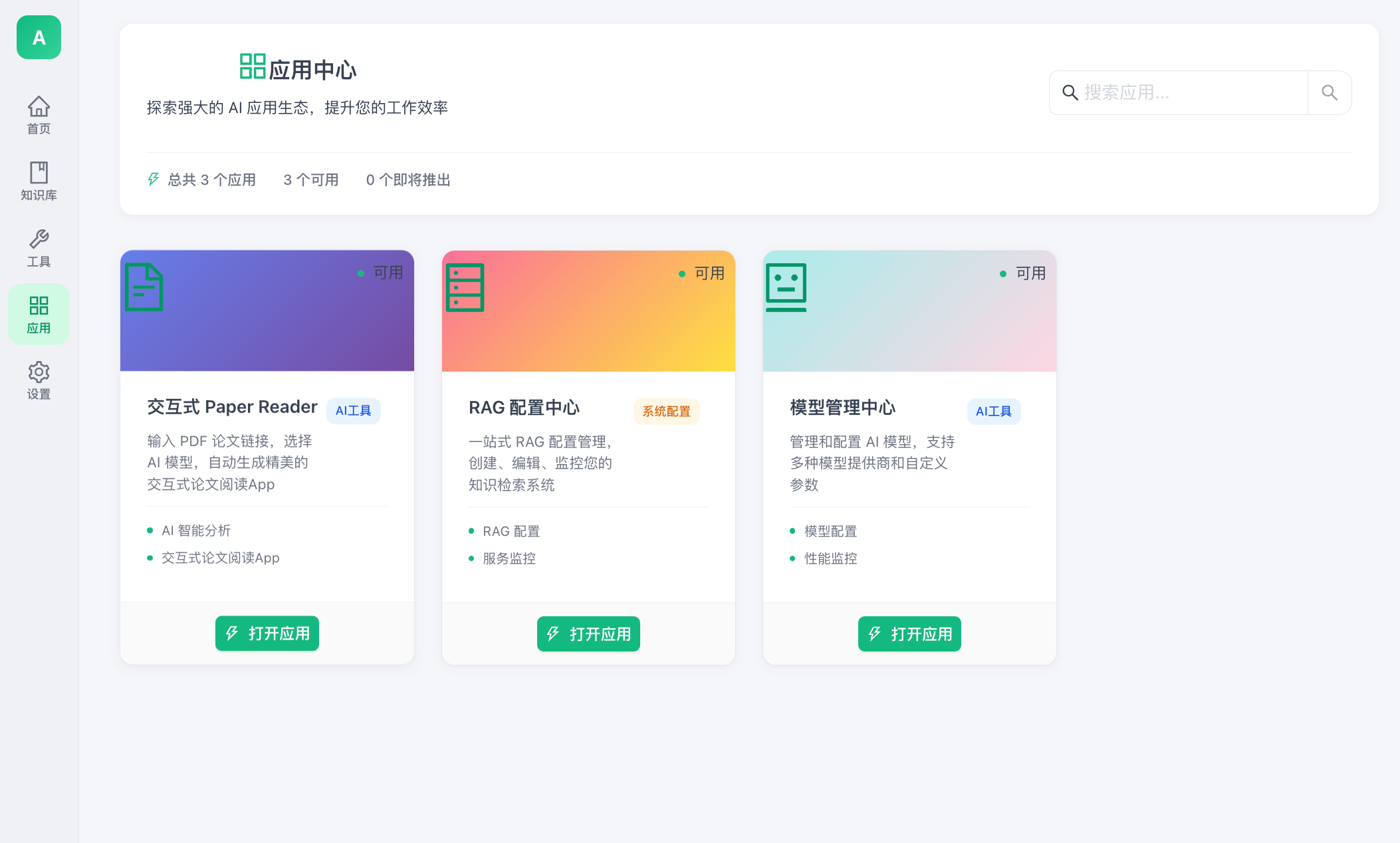
The App Center features powerful AI applications — interactive paper reader, RAG config center, model management center, and more. Each app is carefully designed, ready to use out of the box.
- Interactive Paper Reader with AI-powered analysis
- RAG Config Center for one-stop knowledge retrieval management
- Model Management Center for centralized AI model configuration
Custom Agent Tools, Unlimited Extensibility
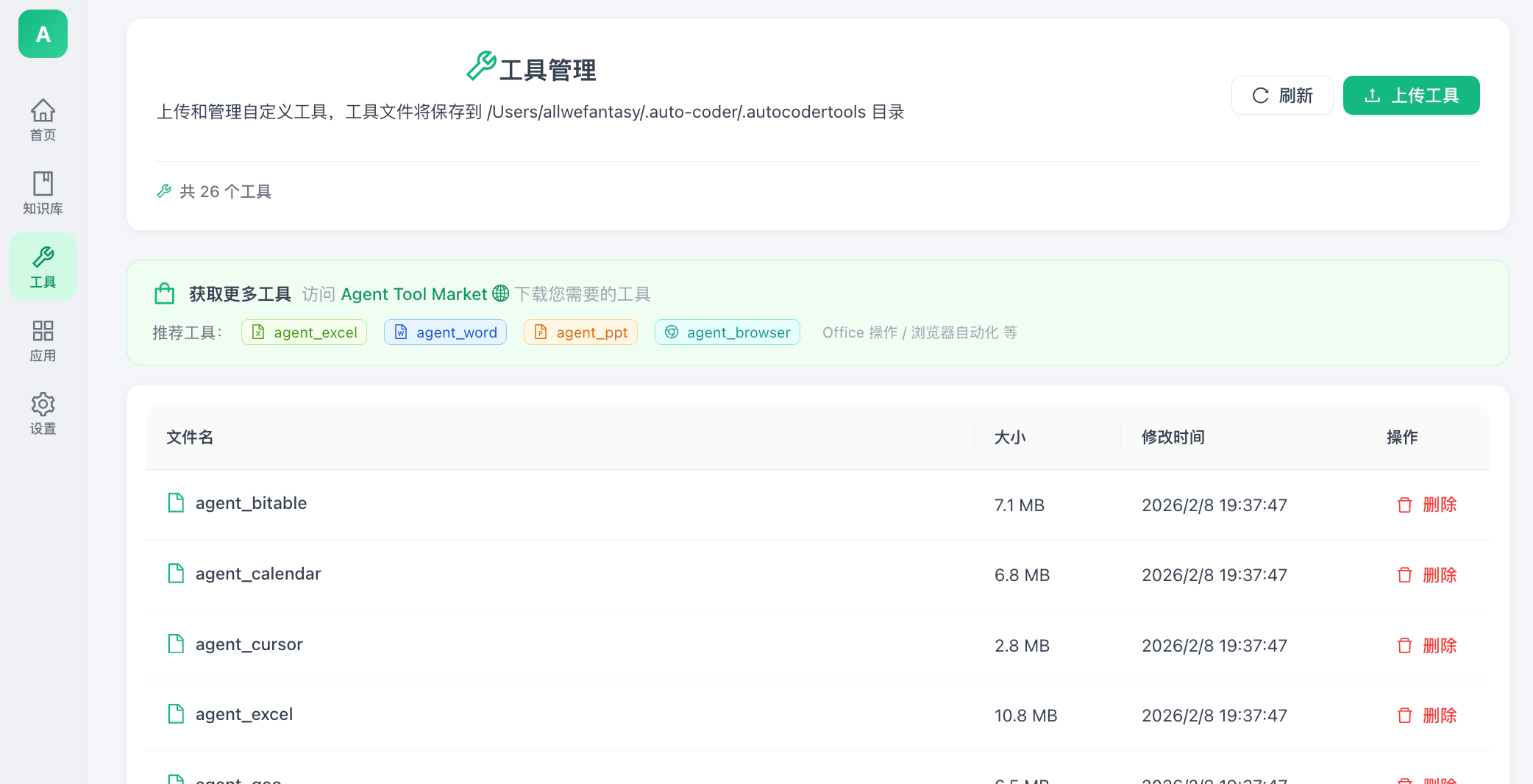
26+ built-in powerful tools covering Excel, Word, PPT, browser, calendar, and more. Download more tools from Agent Tool Market or upload your own custom tools.
- 26+ built-in tools covering Office, browser, calendar and more
- Agent Tool Market for one-click download and install
- Upload custom tools to flexibly extend AI capabilities
Multi-Model Free Switching, Choose the Best AI for You
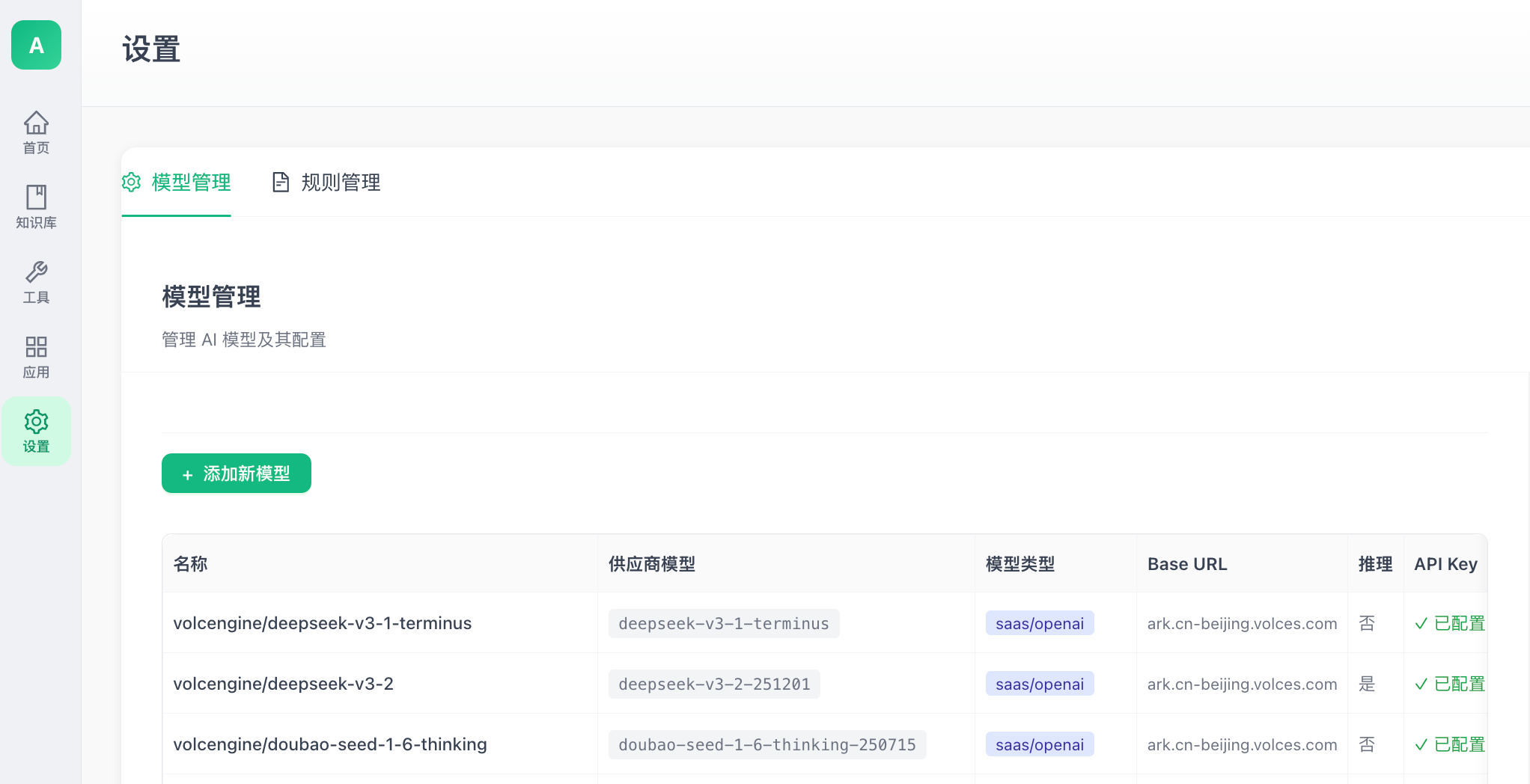
Support multiple AI model providers including DeepSeek, Doubao and other mainstream models. Flexibly configure Base URL, API Key and inference parameters.
- Support DeepSeek, Doubao and other mainstream models
- Freely configure model parameters, API keys and inference settings
- SaaS/OpenAI compatible interface for easy integration
Start Using WinClaw
Free download, ready to use. Supports Windows and macOS.
Installation issues? Windows 10 limits path length to 260 characters by default, which may cause installation failure. See thetroubleshooting guideto enable long path support and reinstall.
Linux version coming soon, stay tuned